
Detailed Guide to Download VVJL App on Android and iOS
Do you want to Download VVJL App for smooth gaming and convenient transactions? This article guides you in detail on how to install the application on Android and iOS, along with important security tips. Follow the steps below to install the VVJL app safely, receive rewards quickly & manage your account easily anytime, anywhere.
Why Should You Download the VVJL App?
Downloading the official VVJL App brings many superior benefits, helping you access easily, deposit/withdraw via GCash quickly & not miss any bonus programs. Below are 5 reasons you should install the app today:
-
Fast Access: Open the platform with just 1 touch from the home screen, saving login time compared to the browser.
-
Exclusive Promotions: Always update offers, events, and bonuses exclusively for app users (e.g., App Download Bonus).
-
Stable Experience: Reduce lag when playing, even when the network is unstable. Besides, deposit/withdrawal operations are integrated directly, very convenient.
-
High Security: The official app is better encrypted & authenticated (FaceID/Fingerprint), protecting your account and balance.
-
Convenience & Comprehensive: Manage accounts, play games, and track promotions right on the app, enhancing the overall experience and optimizing entertainment time.
Standard Steps to Download VVJL App for Android & iOS
To Download VVJL App safely & quickly, you need to follow the standard sequence for each operating system. Below is a detailed guide for Android and iOS, helping you install the official app, ensure security, access smooth deposit/withdrawal features, and not miss exclusive offers.
Guide to Download VVJL App on Android (APK)
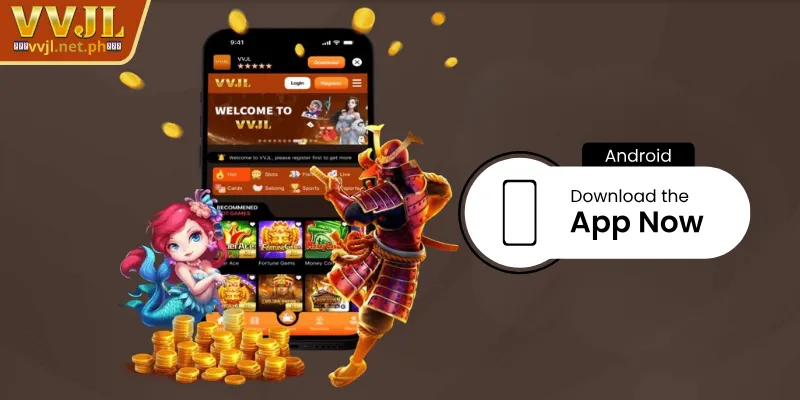
The process of downloading the VVJL application to Android usually involves the .apk file. If you follow the steps below correctly, you will install the app quickly without errors. Always download from the official VVJL page to avoid fake software.
-
Step 1: Open the browser on your phone, go to the VVJL App Download page provided by the platform. Find the “Download for Android” button or scan the QR code.
-
Step 2: Tap the download button and wait for the .apk file to download to your device. Ensure a stable network to avoid corrupted downloads.
-
Step 3: Go to Settings -> Security -> Allow “Install unknown apps” (or “Install from Unknown Sources”).
-
Step 4: Open the downloaded file (usually in the Downloads folder), press “Install” & wait for completion.
-
Step 5: After installation, open the app, log in to your account, or VVJL Register a new one, check the deposit/withdrawal features and notifications.
Guide to Download VVJL App on iOS (iPhone/iPad)
On iPhone/iPad, due to App Store policies on betting apps, the app may not appear directly in the Store. Players usually download from the official link with developer authorization instructions (Enterprise App). Perform downloading the VVJL application to iOS carefully according to the following steps to ensure safety:

-
Step 1: Open Safari and go to the VVJL download page, switch to the “Download iOS” section or scan the QR code if available.
-
Step 2: Press the download button & wait for the system installation instructions (possibly a configuration profile).
-
Step 3: When iOS displays a prompt, select “Allow” or “Install”.
-
Step 4: Go to Settings -> General -> VPN & Device Management (or Profiles & Device Management), select the developer profile related to VVJL & press “Trust”.
-
Step 5: After authorizing, open the app, log in, and check the functions on the system.
Tips to Ensure Successful VVJL App Installation
Downloading the VVJL application needs to be done correctly to ensure safety, stability & smooth access. Applying the following simple tips will help you download the app successfully, avoiding common errors:

-
Stable Connection: Use strong WiFi or 4G/5G data to avoid interruption when downloading files or installing applications.
-
Free Space: Check device memory before downloading the VVJL app; delete unnecessary files or apps if storage is full.
-
Update OS: The Android or iOS version should be compatible with the app. At the same time, update the operating system if necessary to avoid compatibility errors.
-
Turn Off VPN: Some VPNs or network configurations may block or damage the download process, so you should temporarily turn them off.
-
Backup Login Info: Remember your email/mobile number & password before switching devices or reinstalling.
-
Troubleshooting: If the app cannot be installed, try restarting the phone, deleting the downloaded file, and downloading again. In case the error persists, contact VVJL Support with a screenshot for quick assistance.
Conclusion
In general, Download VVJL App on Android and iOS brings a smooth experience, fast access & many attractive offers. Always download the app from the official source, follow the installation steps and security tips to avoid risks. After installing, log in to check the GCash/PayMaya deposit/withdrawal features, turn on promotion notifications, and enjoy the VVJL experience anytime, anywhere.